Mirrors

Main

Entry Notice


Copy DVD's CloneCD/DVD BlindWrite 1Click DVD Copy CopyToDVD

MAIN
Magazines
Banners
FileForums
Backup FAQ
Backup Protected CDs
CD/DVD Protections
NewBie Hints


N E T W O R K

GameTarget

Console CopyWorld

Cover Target

CD Media World

LinkWorld

Music Target

FileShareWorld

MP3 MediaWorld

CD/DVD Utilities


Affiliate Sites


eXTReMe Tracker

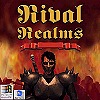
Rival Realms
System
Language
Protection
CD Cover
:  PC

:  ?
Front / Back  @CD Cover Central
Index
Rival Realms v1.0 [GERMAN] No-CD Patch 10-02-1999
RAZOR'99
  File Archive [1 KB]
Instructions:
  • Create a destination directory for this game (e.g. C:\GAMES\RIVAL).
  • Copy the full contents of the CD to this destination directory (about 150 Mb).
  • Create a directory in the destination directory and call it: INST (full path: C:\GAMES\RIVAL\INST).
  • Install the game (about 70 Mb) in the INST directory.
  • Extract the RIVAL-RAZ99.COM File Archive to the INST directory.
  • Execute the Patch to remove the CD-Check from RIVAL.EXE.
  • Play the game!


SEARCH GCW


PC
Game Index
[A-E] - [F-M] - [N-S] - [T-Z]

CONSOLES
Console GamingWorld
XBox PS2 PSP PSX GBA DC

GAME PROTECTIONS
StarForce
SafeDisc
SecuROM
Tages
LaserLock

UTILITIES
Game Tools
Patch Engines
CD/DVD Tools
WinPack/IComp/I5Comp


(c)1998-2012 GameCopyWorld - All Rights Reserved
The contents of this page may not be used, reproduced, copied or published anywhere else without the written permission of GameCopyWorld
Privacy Statement - Contact Us